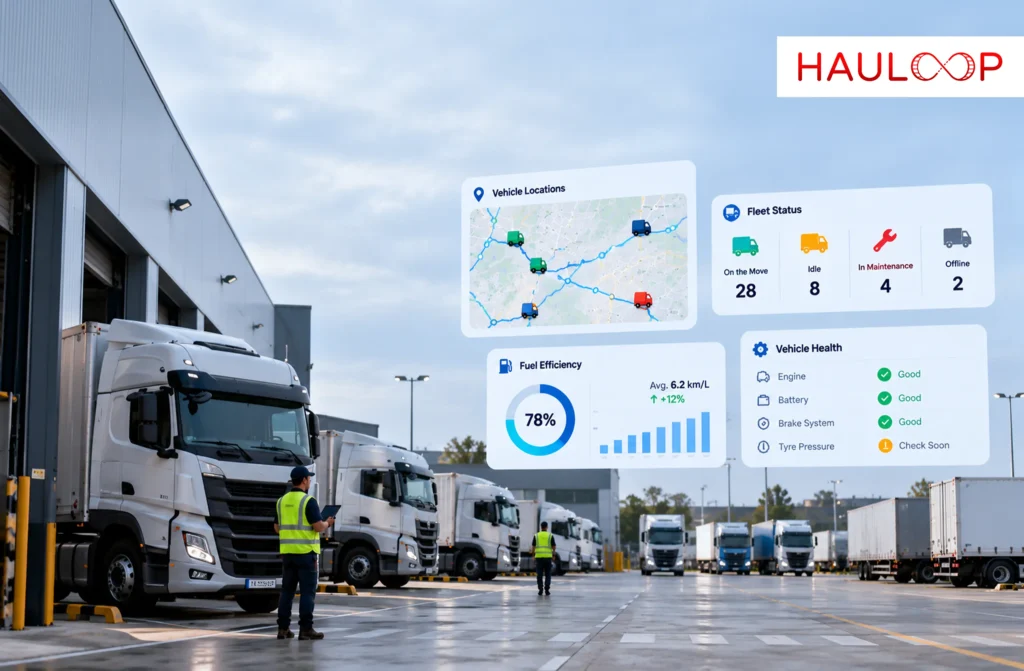
Truck VX-312 appears stationary at a customer site.
The map can show its reported location. It cannot immediately tell the fleet manager whether the engine is idling, the vehicle has developed a fault, unloading has started or the driver is waiting outside the gate.
Each answer may come from a different source: GPS, engine data, connected sensors, a camera, the driver or the active trip record.
Fleet telematics brings these signals into a connected data flow. It allows information generated inside and around a vehicle to reach the people and systems responsible for operating the fleet.
But collecting vehicle data is only the beginning. The fleet still needs to know whether the information is current, what it means and what action should follow.
Let’s examine how fleet telematics works, what it can reveal and how fleets can turn vehicle data into practical operational decisions.
What is Fleet Telematics?
Fleet telematics combines vehicle data, positioning technology and communication networks to help businesses monitor how commercial vehicles are being used.
The available information depends on the vehicle, fitted hardware and integration. It may include location, speed, distance, ignition status, engine hours, idling, diagnostic codes, fuel-related information, driving events and supported sensor readings.
The term does not refer to one device or feature. It describes the connected process through which vehicle information is:
- Captured by a device or vehicle system
- Transmitted through a communication network
- Processed by a server or platform
- Presented as maps, alerts, reports or workflows
- Used by the fleet to make a decision
A telematics device may generate the data, but fleet management software gives that information operational meaning by connecting it with the relevant vehicle, driver, route, trip or job.
How Does Vehicle Data Reach the Fleet Platform?
The data journey begins inside or around the vehicle.
A fleet may use an embedded manufacturer system, a hardwired tracking unit, an OBD-II device, a CAN-bus connection, a dashcam, an asset tracker or a separately installed sensor.
Different components perform different roles:
- Positioning receiver: Calculates the vehicle’s reported location using satellite signals.
- Communication module: Transmits selected data through a mobile or satellite network.
- Vehicle connection: Accesses supported information from the OBD-II port, CAN bus or another vehicle interface.
- Motion sensors: Detect changes such as acceleration, braking and cornering.
- Connected sensors: May record fuel level, temperature, humidity, door status, tyre condition or other supported measurements.
- Fleet platform: Processes the incoming records and connects them with vehicles, drivers and operating workflows.
Hauloop’s telematics integrations can connect supported OBD-II devices, dashcams, IoT sensors and asset trackers with the wider fleet environment.
Compatibility must still be verified. Two devices may both be described as telematics units while providing different fields, reporting intervals, communication methods and integration permissions.
What Can Fleet Telematics Tell You About a Vehicle?
Fleet telematics can show several layers of vehicle activity, depending on the available data.
Movement and trip information
Location, speed, direction, distance, ignition status and stop duration help dispatch understand how a trip is progressing.
Vehicle condition
Supported vehicle connections may provide engine hours, battery voltage, coolant temperature, fault codes and other diagnostic information. A fault code identifies an issue recorded by the vehicle; it does not guarantee when a component will fail.
Driver-related events
Telematics may identify speeding, harsh braking, rapid acceleration and aggressive cornering. These events should support investigation and coaching rather than automatic blame.
Fuel and utilisation information
Depending on the hardware, fleets may review idling, distance, engine hours and fuel-related readings. A fuel purchase and fuel consumed are not the same measure, so fuel-card records, tank data and trip activity should be interpreted together.
Cargo and asset conditions
Compatible sensors can monitor temperature, humidity, door activity, trailer movement or other cargo-related conditions. The reading must be connected to the correct vehicle, asset and trip before it can support an operational decision.
Hauloop’s OBD-II integration shows how compatible plug-in devices can provide information about vehicle operation without assuming that every model exposes the same data.
Why is Telematics More Than GPS Tracking?
GPS provides reported position. Telematics connects position with other vehicle and operating information.
Suppose VX-312 remains stationary for 25 minutes.
GPS can show where it is. Fleet telematics can help establish whether:
- The vehicle is inside an approved customer zone
- The engine is idling
- The ignition is off
- A diagnostic warning is active
- The stop is part of the assigned trip
- The driver has completed the delivery
- A cargo sensor recorded an exception
The location does not change, but its meaning does.
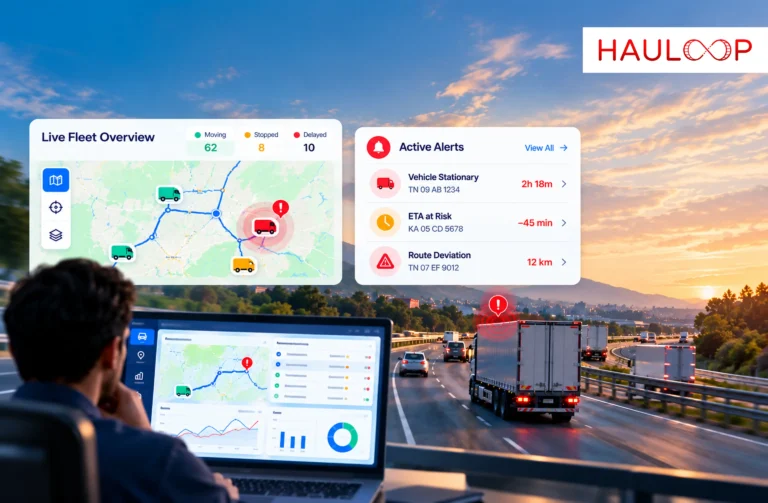
Hauloop’s live tracking connects reported vehicle position with stops, route movement and trip activity. The guide to live fleet tracking further explains why a map becomes more useful when it shows operational context rather than only a vehicle icon.
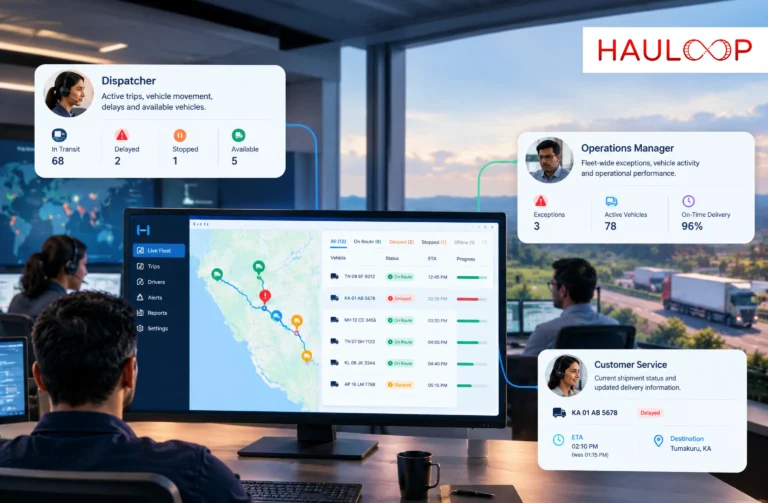
How Do Different Fleet Teams Use Telematics Data?
The same vehicle signal can support different decisions across the business.
| Fleet responsibility | How telematics can help |
| Dispatch | Review vehicle movement, stops, route progress and developing delays |
| Maintenance | Monitor mileage, engine hours, fault codes and service-triggering usage |
| Safety | Review driving events and identify repeated behaviours for coaching |
| Fuel management | Compare idling, distance, vehicle activity and compatible fuel readings |
| Customer service | Check current trip progress before responding to an arrival query |
| Finance | Connect vehicle utilisation and trip activity with operating-cost records |
| Compliance | Preserve applicable mileage, inspection and driver-activity records |
| Management | Compare recurring patterns across vehicles, drivers, routes and trips |
The value does not come from giving every team the complete raw data feed. Each person should receive the information relevant to their responsibility.
For example, a maintenance team may need repeated fault history and engine hours. Dispatch needs to know whether the same vehicle can complete its current trip. Management may need to see whether the fault is increasing downtime or cost across several months.
Cameras and Sensors Add Context, Not Automatic Conclusions
A telematics event records what the connected system detected. It may not explain why it happened.
Harsh braking could indicate unsafe following distance. It could also occur because another vehicle entered the lane unexpectedly. A road-facing dashcam may provide visual context, while location and trip data show where and when the event occurred.
The same principle applies to fuel and cargo monitoring. A falling tank reading may require comparison with vehicle movement, ignition status, sensor accuracy and location. A temperature increase may align with an approved unloading stop rather than a refrigeration failure.
Hauloop’s driver safety connects supported driving events with scores, dashcam information and coaching workflows. The article on driver safety scores explains why managers should review the evidence behind a score instead of judging a driver from one number.
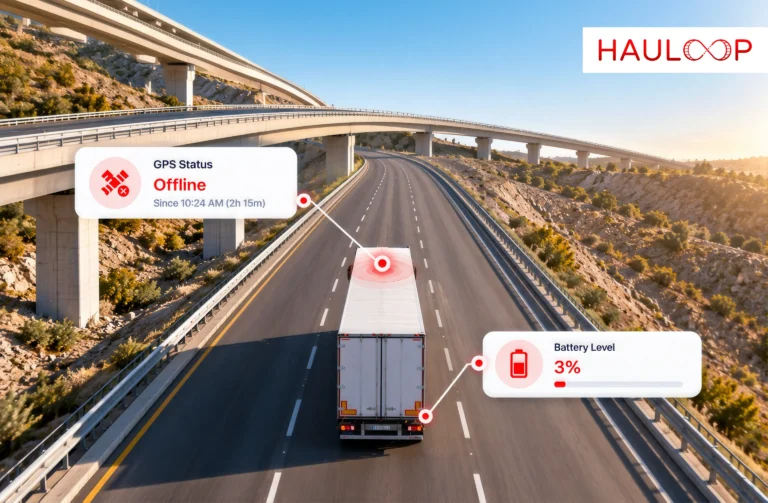
What Happens When Telematics Data is Delayed or Missing?
Telematics does not guarantee uninterrupted real-time information.
Data availability can be affected by:
- Loss of vehicle or device power
- Weak mobile or satellite coverage
- SIM expiry or suspension
- Device configuration
- Reporting intervals
- Damaged wiring or antennas
- Integration delays
- Server or application processing
Some compatible devices store events when communication is unavailable and upload them after reconnection. The records may preserve their original event times, but they were not visible to dispatch while the vehicle was offline.
That distinction matters. Historical data can reconstruct a completed trip, but it cannot support a live intervention after the event has already passed.
Fleet teams should therefore check the event timestamp, upload time and latest device communication before treating information as current. Repeated gaps should be reviewed by vehicle, route, device and network area rather than being closed as unrelated technical tickets.
Connect Telematics with the Work Behind the Vehicle
A vehicle can generate accurate data without producing a useful decision.
An idling alert becomes more meaningful when the platform knows whether the vehicle is waiting at a delivery site, powering auxiliary equipment or stopped without an operating reason.
A fault code becomes useful when it creates a maintenance review with an owner and completion status. A route delay matters when it updates the ETA, customer communication or next assignment.
This is the difference between telematics and fleet intelligence.
Telematics supplies connected vehicle information. Fleet intelligence compares that information with trips, drivers, costs, maintenance and business expectations to help determine what deserves attention.
Our guide to fleet intelligence explains how connected fleet signals become more valuable when the system identifies patterns, prioritises exceptions and supports a practical next action.
What Should You Check Before Introducing Fleet Telematics?
Begin with the operating problem rather than the longest feature list.
Ask:
- Which vehicles and assets need to be connected?
- What decisions should the data support?
- Which information is already available from existing devices?
- Can different device brands connect with one platform?
- How frequently must each data type be reported?
- What happens when power or network coverage is unavailable?
- Who will receive and respond to each alert?
- How will device health and data accuracy be checked?
- Who can access driver, video and vehicle information?
- How long will the data be retained?
- Which fleet, workshop, payroll or business systems need integration?
Implementation should also include driver communication. Drivers should understand what information is collected, why it is used and how events will be reviewed.
The cost evaluation must include hardware, installation, SIM or connectivity, subscriptions, integration, support, replacements and internal administration. The cheapest tracker may not be the lowest-cost option if the fleet cannot use its data or resolve faults quickly.
Conclusion: Vehicle Data Becomes Valuable When it Explains the Operation
Return to VX-312 at the customer site.
A GPS position showed that the truck was stationary. Fleet telematics could add ignition status, idling, vehicle condition, driving activity and supported sensor information. The trip record could then explain whether the stop was expected and whether anyone needed to act.
That is what fleet telematics can tell you about your vehicles. It provides more than location, but it does not create an answer automatically.
The fleet must connect reliable vehicle data with the correct driver, route, trip and business workflow. It must also account for device compatibility, reporting intervals, power, network coverage and data accuracy.
When those elements remain connected, telematics can help dispatch manage active trips, maintenance respond to vehicle condition, safety teams review driving events and managers identify recurring operational patterns.
AI-powered fleet management software can bring supported telematics, trip, driver and fleet information into one operational view. Book a Demo to see how your existing vehicle data can support clearer fleet decisions.
Frequently Asked Questions
Is fleet telematics the same as GPS tracking?
No. GPS primarily provides position. For example, GPS may show that a delivery van is at a customer site. Fleet telematics can add movement, ignition, idling, vehicle condition, driving events and trip context, depending on the connected hardware.
Can Hauloop connect with telematics devices already fitted to vehicles?
It may be possible when the existing device and vendor provide compatible data access. For a fleet using several tracker brands, the model, protocol, reporting frequency, credentials and data-forwarding permission must be checked before integration is confirmed.
What happens to telematics data when a vehicle loses network coverage?
Some compatible devices store records locally and upload them after communication returns. For example, a truck crossing a rural dead zone may later show its completed movement history. Dispatch should not assume that live alerts were available during the outage.
How can telematics help with vehicle maintenance?
A service vehicle may reach its engine-hour threshold before its mileage interval because it operates equipment while stationary. Supported telematics data can expose that usage and help the maintenance team schedule the correct inspection instead of relying only on distance.
Does a harsh-braking telematics event prove that the driver was unsafe?
No. The event shows that rapid deceleration was detected. If a pedestrian entered the road, harsh braking may have been the safest response. Managers should review location, frequency, trip conditions, driver feedback and available video before deciding what happened.
What telematics data should a small fleet collect first?
Start with the information connected to the fleet’s main operational problem. A delivery fleet may prioritise location, stops and trip progress. A service fleet may need mileage, engine hours and fault information. Collecting more data is useful only when someone is responsible for acting on it.