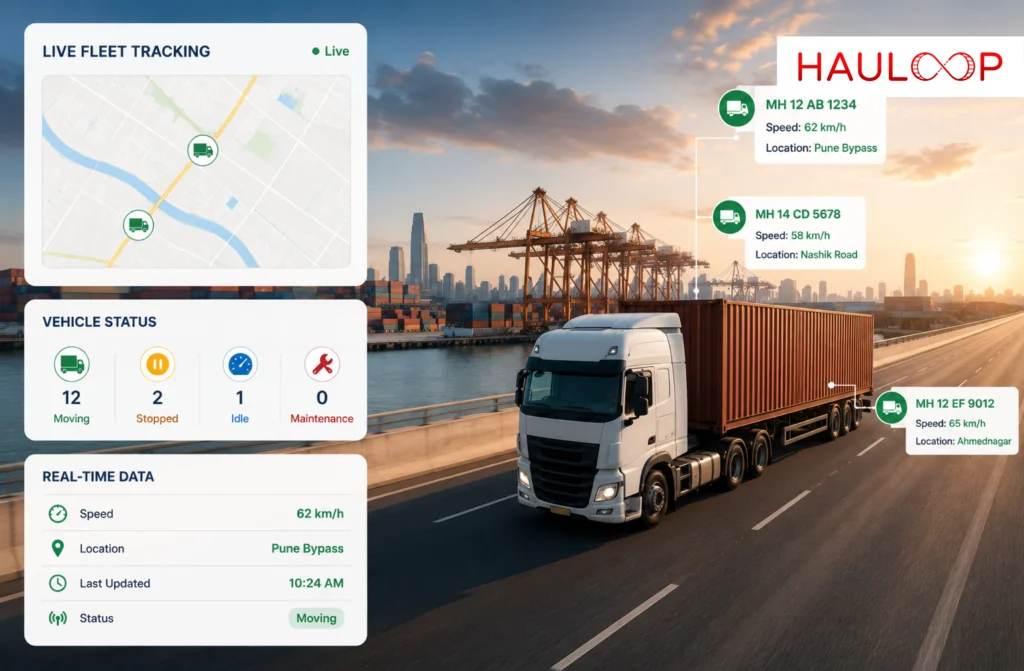
A fleet can look fine on paper while something very different is happening on the road.
A truck leaves the yard on time. The route is assigned. The delivery window looks safe. Then traffic builds, the vehicle stops longer than expected, or the driver takes a different route. By the time someone calls to ask for an update, the schedule may already be slipping.
That is where live fleet tracking becomes useful. It does more than show a vehicle icon on a map. It helps fleet managers and dispatch teams understand what the vehicle is doing, how the trip is progressing, and whether anything needs attention before the delay turns into a customer problem.
What is Live Fleet Tracking?
Live fleet tracking is the real-time monitoring of commercial vehicles using GPS and connected fleet data.
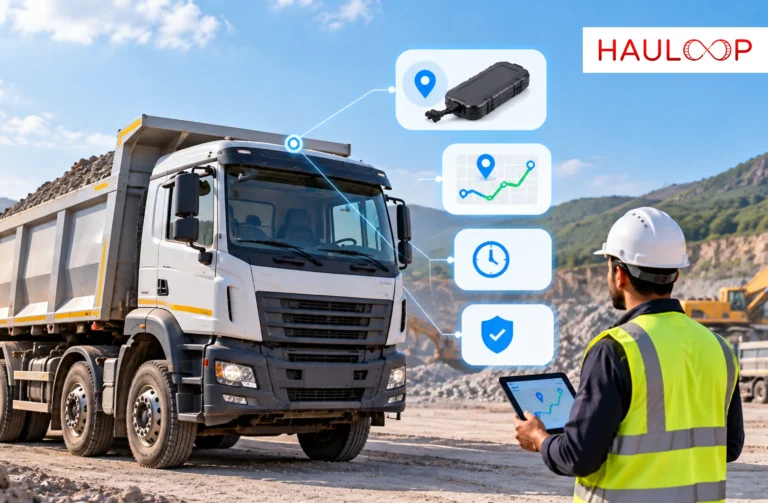
A GPS device captures vehicle location and sends that information to a fleet platform. From there, operations teams can see where vehicles are, whether they are moving, stopped, or idling, and how active trips are progressing.
Depending on the system, live fleet tracking can also show vehicle speed, direction of travel, stop duration, route progress, geofence activity, trip status, driver and vehicle details, estimated arrival times, and alerts for unusual movement.
The key difference is context. A GPS coordinate tells you where the vehicle is. Live fleet tracking helps explain what that location means for the operation.
Why is Live Fleet Tracking Different from Basic GPS Tracking?
Basic GPS tracking usually focuses on location. Live GPS fleet tracking connects that location with the wider trip.
For example, two vehicles may both be stationary for 20 minutes. One may be inside a customer delivery zone completing a scheduled stop. The other may be parked away from the planned route with no operational reason.
On a basic map, both vehicles simply look stopped. With more context, dispatch can understand which one is normal and which one may require action.
That becomes more important as a fleet grows. Calling five drivers for updates may be manageable. Calling 50 drivers throughout the day is not. Live fleet tracking helps reduce those routine follow-ups by giving operations teams a current picture of what is happening across multiple vehicles at once.
What does a Live Fleet Map Actually Show?
A useful live map should help a dispatcher quickly understand what is happening across the fleet without needing to check several systems.
It should make it easy to see where each vehicle is, whether it is moving normally, whether it has been stopped too long, whether it is following the expected route, and whether a trip is still progressing on schedule.
This is where Live Map Tracking becomes the foundation of real-time fleet visibility. Instead of checking several portals or calling drivers, teams can monitor active vehicles in one connected view.
For larger fleets, filters and vehicle clustering also matter. A map filled with dozens or hundreds of vehicle icons is only useful if the user can quickly isolate the vehicles that need attention.
The purpose of the map is not to show everything at once. It is to help people find the exception that matters.
How do Geofences Improve Live Fleet Tracking?
Location becomes more meaningful when the system understands the importance of a place.
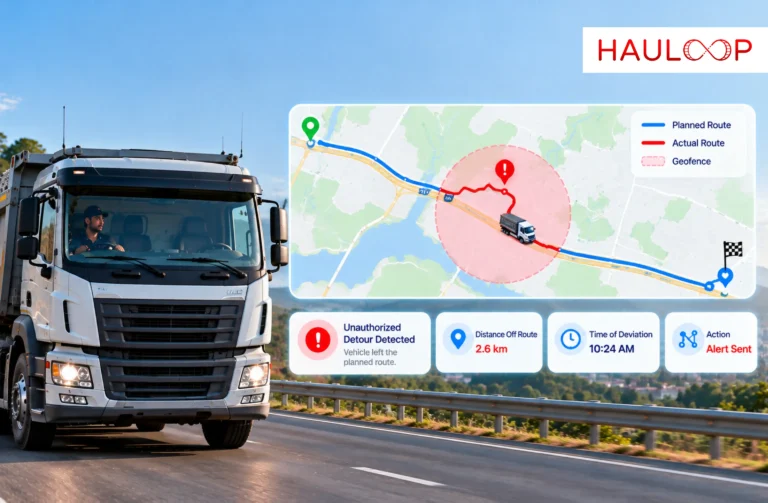
A geofence is a virtual boundary around a location such as a depot, warehouse, customer site, delivery point, or restricted area. With Geofencing and Zone Alerts, fleet teams can be notified when a vehicle enters, exits, misses, or remains too long within one of those locations.
That helps turn raw location data into an operational event.
For example, a warehouse arrival can be detected automatically instead of waiting for a driver call. If the vehicle stays there much longer than expected, dispatch can investigate before the delay affects the next stop.
Geofencing can also help identify unauthorized movement, missed locations, and repeated delays at specific customer sites.
What can Trip History and Replay Tell You?
Live tracking answers what is happening now. Trip history helps explain what happened earlier.
If a delivery arrived late yesterday, the current map cannot tell you where the delay started. Trip history and replay allow managers to review the completed journey, including route movement, stops, delays, and deviations.
This makes it easier to understand where time was lost, whether the planned route was followed, and whether the same issue has happened on previous trips.
Historical trip data is valuable because it helps fleets move from reacting to one-off problems to identifying repeated patterns.
What are Breadcrumb Trails?
Breadcrumb trails provide a detailed record of the route a vehicle actually travelled.
Instead of showing only the start and destination, successive GPS points create a movement trail across the journey. This helps with route verification, delivery disputes, driver discussions, and operational reviews.
If a customer questions whether a vehicle reached the correct site, breadcrumb data can help verify the route. If a driver reports a road closure or detour, the journey history can show what actually happened.
That gives fleet managers evidence instead of assumptions.
How do Speed and Idle Alerts Help?
A vehicle can be on the correct route and still be operating inefficiently.
Repeated speeding can affect safety, fuel use, tire wear, and vehicle condition. Excessive idling can increase fuel consumption and reduce productive operating time.
Speed and idle alerts help fleet managers identify those events while they are happening.
The important point is context. A vehicle idling inside a loading bay is different from one idling unnecessarily away from the planned route. A short traffic stop is also different from a long, repeated period of engine-running time.
Useful alerts should help teams focus on real exceptions instead of generating noise.
Can Live Fleet Tracking Improve ETA Accuracy?
Yes, because arrival times should change as the trip changes.
A fixed ETA created at departure can become inaccurate if traffic builds, a stop takes too long, or the vehicle moves more slowly than expected.
ETA Management uses live trip progress to update arrival expectations as conditions change.
This gives dispatch teams a more useful question to work with. Instead of only asking where the truck is, they can ask whether it is still likely to arrive on time.
That matters because an early warning gives the team options. They may update the customer, adjust the schedule, change the stop sequence, or prepare for the delay before it becomes a larger operational issue.
What is Predictive Location?
Predictive location takes fleet visibility one step further.
Instead of only showing where the vehicle is now, it uses live movement and historical trip patterns to estimate how the journey is likely to progress.
Predictive Location can help identify trips that may arrive late, routes that regularly slow down, or vehicles that are falling behind expected progress.
It does not remove uncertainty from road transport. Traffic, weather, customer delays, and road closures can still change the outcome.
The value is earlier awareness. A delay discovered after the delivery window is already a problem. A delay identified while the vehicle is still moving gives the fleet more time to respond.
What should Fleet Managers Look for in Live Fleet Tracking?
A good live fleet tracking system should reduce uncertainty, not just display more data.
Fleet managers should look for a platform that provides:
- Real-time vehicle visibility
- Movement and stop status
- Driver and trip context
- Geofence alerts
- Trip history
- Breadcrumb trails
- Speed and idle monitoring
- ETA updates
- Route progress
- Predictive insights
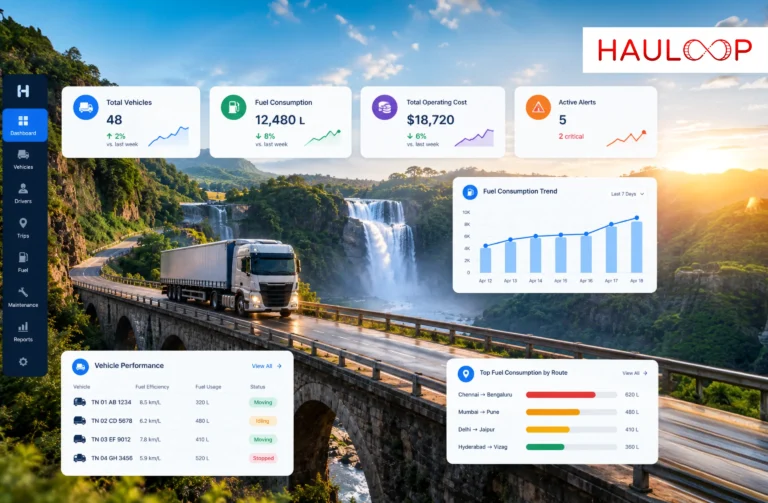
- Multi-vehicle visibility from one dashboard
The most useful system is the one that helps the operations team understand what is happening, whether it is expected, whether it may affect the trip, and whether action is required.
Conclusion
Live fleet tracking starts with location, but its real value comes from the context around that location.
A live map shows where vehicles are. Geofences help confirm whether they are where they should be. Trip history and breadcrumb trails explain what happened. Speed and idle alerts highlight inefficient behavior. ETA updates show whether arrival expectations are changing, while predictive location helps teams see developing risks earlier.
The right approach depends on what your fleet needs to manage. Some businesses need basic vehicle visibility, while others need stronger route control, ETA accuracy, trip verification, or early warning of delays. Hauloop brings these capabilities together so live tracking can support day-to-day fleet decisions instead of simply reporting vehicle locations.
If your primary challenge is reducing driver follow-ups, identifying delays earlier, and improving real-time fleet visibility, an AI Fleet Management Platform can bring the location, trip, route, and operational context your team needs into one connected environment. Book a demo with Hauloop to see how it can support your fleet operations.
Frequently Asked Questions
What is live fleet tracking?
Live fleet tracking is the real-time monitoring of vehicle location, movement, trip activity, stops, and related operational information through GPS and fleet management technology.
How often does live fleet tracking update?
Update frequency depends on the tracking device, connectivity, system settings, and platform. Real-time tracking usually means frequent updates rather than continuous second-by-second transmission.
Is live fleet tracking the same as GPS tracking?
Not exactly. GPS provides location data. Live fleet tracking uses that location information together with trip, route, stop, driver, and operational data to give more context.
Can live fleet tracking reduce driver calls?
Yes. Dispatch teams can check vehicle location, movement, stops, and trip progress directly instead of calling drivers for routine updates.
Can live fleet tracking help with delivery delays?
Yes. It can help teams identify slow progress, unexpected stops, route deviations, and changing ETAs early enough to respond.
Is live fleet tracking useful for small fleets?
Yes. Small fleets can use it to reduce manual coordination, while larger fleets benefit from centralized visibility across many vehicles and trips.