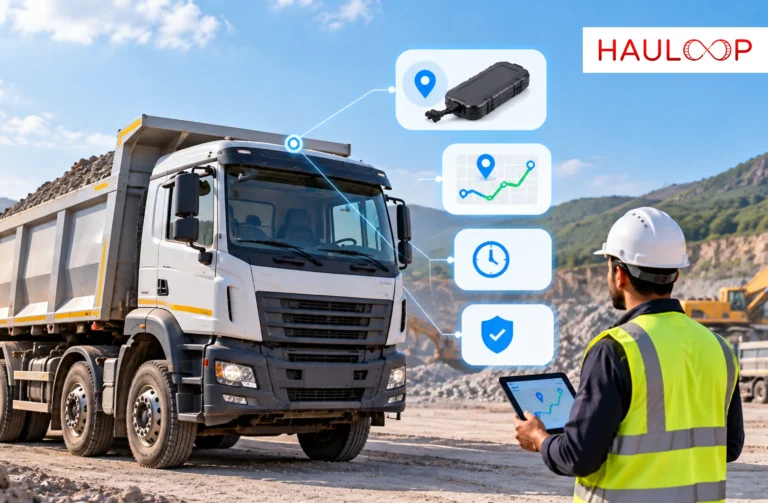
A mining tipper lorry owner buys a GPS device and completes the installation. The vehicle appears on the vendor’s tracking app, so the job seems finished.
Then the next transit pass is delayed because the device was mapped incorrectly. Or the tracker stops sending updates after the lorry leaves the fitment centre. The owner has paid for GPS, but the vehicle is still not ready for work.
This is a timely concern for Tamil Nadu’s mineral-transport sector. On 5 October 2026, The New Indian Express reported that only about 30,000 of the 1.4 lakh vehicles registered on the Mineral Management System (MIMAS) portal had GPS devices fitted. The installation deadline was extended to 31 October 2026.
The deadline may encourage a quick purchase, but the wrong device can create problems after installation.
The right GPS device for a mining tipper lorry must meet the current requirement and remain supportable after fitment. Let’s examine what to check and test before the lorry returns to work.
What Should a GPS Device Do for a Mining Tipper Lorry?
A GPS device sends the lorry’s reported position through a mobile network. A tracking platform uses those updates to show movement, stops and completed routes.
For a mining tipper lorry, a map pin is only the starting point. The device may also need to meet the applicable AIS-140 requirement and follow the current MIMAS connection process.
The owner has two needs:
- Regulatory use: The device, vehicle details and connection must meet the requirement applying to the mineral movement.
- Business use: The owner should be able to review trips, stoppages, route activity and device status without depending entirely on another control room.
Hauloop’s live tracking can add trip context to compatible GPS data. That view still depends on suitable hardware, communication and correct installation.
Why Can the Wrong GPS Cause Problems After Installation?
A tracker can appear active in one application and still be mapped to the wrong registration number, linked to an old vehicle record or unable to send data to the required portal. The vendor’s app may receive its location while MIMAS or the owner’s fleet platform receives nothing.
Problems can also appear later if the SIM expires, the device loses power, renewal charges are unclear or support is unavailable near the quarry.
The purchase must create a working connection between the mining tipper lorry, the required portal and the owner’s monitoring platform.
Check Your Existing GPS Before Buying Another Device
Inspect the lorry’s current setup before arranging a new installation. An existing tracker may only need reactivation, corrected mapping or approved integration.
Before purchasing another device, confirm:
- Whether a GPS unit is already fitted
- Its maker, model and serial number
- Whether the SIM or eSIM is active
- Whether it is sending recent location data
- Whether it is already connected to MIMAS
- Whether the registration, chassis and owner details are correct
- Whether it can send data to another approved server or fleet platform
- Whether its warranty and support plan remain active
A box under the dashboard is not proof that tracking works. Ask the vendor to show recent movement and confirm the attached vehicle identity. The pre-check should lead to one decision: reuse, reactivate or replace the device.
Ask These Questions Before Paying for the Device
The vendor should answer the following questions in writing:
- Is this the correct AIS-140 model? Ask for the certificate and exact maker and model details.
- Can it follow the current MIMAS process? Confirm who will complete the mapping and provide evidence of activation.
- Which network does it use? Ask about coverage along the lorry’s regular quarry, weighbridge and delivery routes.
- Does it store data when coverage drops? Confirm whether missing points are buffered and uploaded after communication returns.
- Can the data reach another platform? If Hauloop or another system will use the feed, confirm second-server or approved data-forwarding support.
- What does the first payment include? Separate the device, GST, fitment, onboarding, SIM and software charges.
- When do renewals begin? Record the SIM, eSIM, tracking subscription and platform renewal dates.
- What support is available? Confirm the warranty, replacement process and technician availability in the operating district.
When a fleet operates trackers from different vendors, a multi-source map can reduce separate applications. Each connection must still be tested.
Confirm Who Will Install, Activate and Support the GPS
Installation quality affects every later update. Ask where the unit will be mounted and how its power and wiring will be protected against vibration, dust, water and disconnection.
The vendor should clearly identify who will:
- Fit and power the device
- Map it to the correct registration and chassis number
- Complete the required MIMAS process
- Activate the SIM or eSIM
- Connect the data to the selected monitoring platform
- Investigate when the device stops reporting
The invoice should identify the device maker and model. Hardware, software, onboarding and renewal charges should be shown separately. Otherwise, an offline vehicle can remain unresolved while the owner contacts several providers.
Test the GPS Before the Mining Tipper Returns to Work
Do not accept installation because a light blinks or a single map pin appears inside the fitment centre.
Complete a short test and confirm:
- The correct registration, chassis and owner details appear.
- The live position changes as the vehicle moves.
- Ignition or movement status appears where supported.
- Updates arrive regularly without an unexplained gap.
- Stops and zone entry or exit events are recorded correctly.
- The required MIMAS acknowledgement is available.
- The owner can view the same vehicle in the selected fleet platform.
Review the test through trip history, not only on the live screen. Replay can reveal missing points, delayed uploads or incorrect mapping.
Our guide to live fleet tracking explains why a location becomes more useful when it is connected with movement, stops and trip progress.
Keep the GPS Connected After Installation Day
A successful test does not remove the need for ongoing checks. Record the installation date, warranty end, SIM expiry, subscription renewal and support contact.
If reporting stops, check the power, coverage, SIM validity, device and server connection before the next trip develops a larger data gap.
Scheduled fleet reports can show whether vehicles are reporting consistently without opening every tracking application.
Reliable geofencing and route history depend on continuing location updates. Maintaining that connection is part of operating the device.
Use GPS Data for More Than the Installation Requirement
A regulatory deadline may create urgency. The longer-term value comes from using the same data to manage mining tipper movements every day.
The owner can review quarry entry and exit, weighbridge time, unexpected stops and progress towards the unloading site without repeatedly calling the driver.
Trip history can answer practical questions: Did the lorry reach the assigned quarry? How long did it wait? Did it take an unapproved diversion?
As our article on active trip tracking explains, visibility becomes operationally useful when it reveals an exception early enough for the team to respond. The GPS device creates the signal; the fleet’s monitoring process determines what happens next.
Conclusion: Buy a Working Connection, Not Just a GPS Box
Return to the owner from the beginning. The mining tipper lorry had a new tracker and an invoice, but its next movement was still at risk because the mapping, connectivity and platform access had not been verified.
The solution is to check the complete chain before the vehicle returns to work: the correct device standard, current MIMAS process, vehicle identity, installation quality, network connection, renewal terms, support responsibility and data visibility.
That is how an urgent GPS purchase becomes a usable vehicle tracking system rather than another box under the dashboard.
An AI-powered fleet management software can bring compatible vehicle location, trip activity and reporting into one operational view. Book a Demo to see how existing or newly installed GPS devices can support everyday mining fleet decisions.
Frequently Asked Questions
Which GPS device is suitable for a mining tipper lorry?
Choose a device that meets the current requirement, supports the applicable MIMAS process and can withstand vibration, dust and demanding site conditions. For example, a lorry moving between a quarry and construction sites needs reliable reporting, suitable network coverage and accessible local support when the device stops transmitting.
What should I check before installing GPS in a mining tipper lorry?
Check whether the lorry already has an active device, its model, SIM validity, vehicle mapping, MIMAS status and platform compatibility. For example, an existing tracker may still work but remain mapped to an old registration number. Correcting that record may prevent an unnecessary second purchase.
Does an AIS-140 GPS device automatically connect to MIMAS?
No. Buying an AIS-140 device does not automatically complete MIMAS mapping. For example, the tracker may show the lorry correctly in the vendor’s application while the required portal receives no data. Confirm who will map the device, verify the vehicle details and provide activation acknowledgement.
Can an existing mining tipper GPS device work with Hauloop?
It may be possible when the device is compatible and its provider permits approved data forwarding. For example, an operator using trackers from several vendors may want every mining tipper on one map. The protocol, credentials, reporting frequency and second-server support must be checked before integration is confirmed.
What costs should I check besides the GPS device price?
Check installation, GST, SIM or eSIM validity, tracking subscription, renewal, warranty, replacement and technician charges. For example, a low-priced device may become expensive when its renewal excludes software access or when an offline lorry requires a paid technician visit to a remote quarry location.
How can I confirm that the installed GPS works correctly?
Complete a short test movement and verify the vehicle identity, changing location, update frequency, route history and required MIMAS acknowledgement. If the lorry moves five kilometres but the platform still shows it at the workshop, investigate the power, SIM, mapping and server connection before sending it to the quarry.