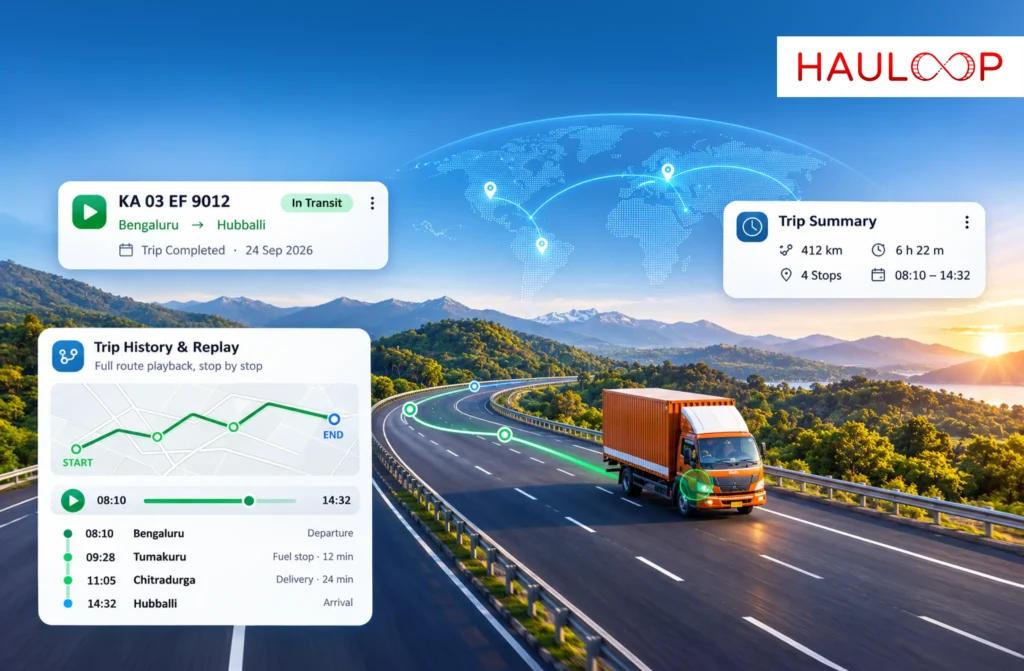
A delivery truck completes its journey at 6:30 PM. The driver confirms that all scheduled stops were covered, and the dispatcher closes the trip.
Three days later, the operations manager receives a question.
Why did a journey scheduled for six hours take nearly nine?
The driver remembers heavy traffic and a long wait at one location. But which stop caused the delay? When did the vehicle arrive there? How much time was spent travelling versus waiting?
Without a recorded journey, answering these questions can mean checking messages, calling the driver, and comparing several operational records.
Vehicle trip replay offers another approach. Instead of reconstructing the journey from memory, fleet managers can review recorded vehicle movements, stops, speed information, and trip timing in chronological order.
This makes a completed journey useful long after the vehicle has reached its destination.
What is Vehicle Trip Replay in Fleet Management?
Vehicle trip replay is a GPS-based fleet tracking feature that allows operators to review the recorded movement of a vehicle during a completed journey.
Unlike live tracking, which focuses on a vehicle’s latest available position, trip replay focuses on historical movement.
The fleet manager selects a completed trip and follows the recorded journey from its starting point to its destination.
Depending on the available data, the record can show the route travelled, stops made, time spent at different locations, and speed information.
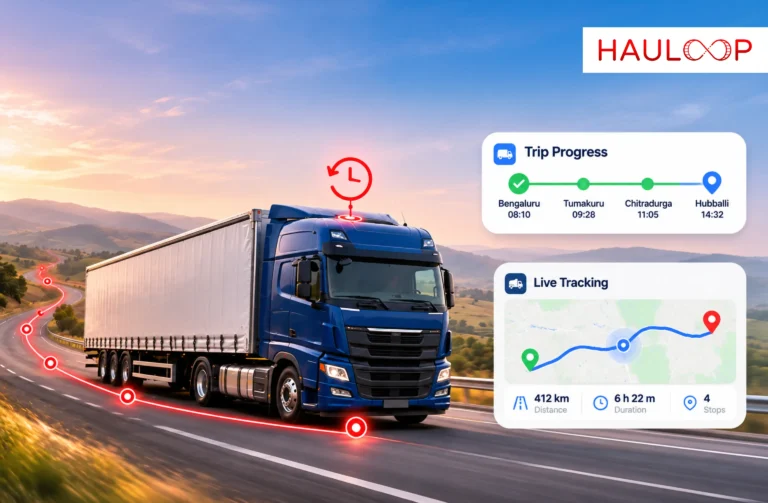
For example, Hauloop’s Trip History & Replay brings completed trip timelines, vehicle movement, stop details, and speed records together for later review.
The purpose is not simply to watch a truck move across a map again.
It is to understand how the journey actually unfolded.
What can the Recorded Route Tell You?
A planned route shows where a vehicle was expected to travel.
A recorded route shows the movement captured during the journey.
That difference becomes important when fleet managers need to investigate route changes or verify a vehicle’s travel history.
Consider a truck assigned to travel between two warehouses.
The planned journey follows a major highway, but the trip history shows that the vehicle travelled through another area before returning to the expected route.
The manager can identify where the recorded movement differed from the original plan and examine when the change occurred.
However, a route difference does not automatically indicate driver misconduct.
Road closures, diversions, customer instructions, or operational circumstances may explain the movement.
Vehicle trip replay provides the recorded evidence needed to investigate the change rather than relying entirely on assumptions.
How does Trip Replay Show Where Journey Time was Spent?
One of the most useful aspects of GPS trip history is its ability to show where time accumulated during a completed journey.
A vehicle may have been moving for most of the trip, or it may have spent significant time stationary at particular locations.
A trip replay with recorded stop details can help separate these situations.
For example, consider a journey that took eight hours:
| Journey activity | Recorded duration |
| Travel between locations | 5 hours 20 minutes |
| First recorded stop | 25 minutes |
| Second recorded stop | 1 hour 35 minutes |
| Third recorded stop | 40 minutes |
| Total | 8 hours |
Illustrative trip data.
Without stop-level information, the operations manager only knows that the journey lasted eight hours.
With the recorded timeline, the manager can identify where time was spent and which stops deserve further investigation.
A long stop might be explained by loading delays, waiting for entry, driver rest, or another operational requirement.
Trip history establishes the recorded timing and location. Additional information may be needed to establish the reason.
Why does the Sequence of Events Matter?
Individual GPS records become more useful when they are reviewed in the order they occurred.
Suppose a truck leaves its depot at 7:00 AM, makes two scheduled deliveries, stops unexpectedly between destinations, and completes its final delivery later than planned.
Looking only at the final arrival time does not explain the journey.
A completed trip timeline allows the manager to follow the sequence.
The operator can examine the vehicle’s departure, movement between locations, recorded stops, and final arrival.
This helps distinguish between a delay that developed early in the journey and one that occurred shortly before delivery.
It can also reveal whether a later stop followed an earlier change in the trip.
The chronological record provides context that a simple trip summary may not contain.
What can Recorded Speed Information Add to a Trip Investigation?
Speed information provides another layer of context when reviewing historical vehicle movement.
For example, a fleet manager investigating an unusually long journey may want to know whether the vehicle was moving slowly across a particular section or remained stationary for an extended period.
Recorded speed details can help distinguish between those situations.
They may also support a review of vehicle movement during an operational incident.
However, GPS-derived speed records have limitations.
Their accuracy and completeness depend on the tracking device, positioning quality, and recording intervals.
A speed record should therefore be treated as supporting operational information rather than an independent explanation of driver behavior or road conditions.
When reviewed alongside the journey timeline, speed information can help the manager understand how movement changed throughout the trip.
How does Vehicle Trip Replay Support Historical Investigations?
Operational questions do not always arise on the same day a trip is completed.
A customer may raise a query the following week. An internal review may begin several months later. An insurer may request supporting journey information after an incident.
By that time, drivers and dispatchers may not remember every detail.
Historical trip records provide a more consistent starting point.
With Hauloop’s Trip History & Replay, operators can locate a relevant completed journey and review its recorded movement, timing, stops, and speed information.
Instead of beginning with multiple phone calls, the investigation can begin with the trip record.
The team can then compare that information with delivery documents, customer communications, or other available records.
This helps make the investigation more structured and less dependent on recollection.
What is the Difference Between Trip Replay and a Fleet Trip History Report?
Trip replay and trip history reports are closely related, but they help users review information in different ways.
A vehicle trip replay focuses on the chronological movement of a completed journey.
It helps the fleet manager follow where the vehicle travelled and examine the order of recorded events.
A fleet trip history report presents historical journey information in a structured format for review.
For example, a manager investigating a route change may prefer to replay the journey.
A manager preparing an operational review may need the associated trip details in a structured record.
Both use historical fleet information, but the method of reviewing that information differs.
Together, they help operations teams move between understanding the journey visually and examining its recorded details.
How can Fleet Managers Use Trip Replay to Improve Operations?
The value of trip replay extends beyond resolving individual questions.
When managers review completed journeys, they may notice recurring operational issues.
For example, several trips may show extended stops at the same delivery location.
Another route may regularly take longer than its planned journey time.
These patterns can prompt further investigation into scheduling, delivery appointments, route planning, or customer handling processes.
Trip replay alone does not establish the root cause or automatically improve performance.
It provides historical movement information that can support more informed operational reviews.
The important step is connecting what the recorded journey shows with the decisions made afterwards.
Conclusion
A completed trip should not become an unanswered question once the vehicle reaches its destination.
Vehicle trip replay allows fleet managers to return to a recorded journey and understand where the vehicle travelled, when it stopped, how long those stops lasted, and how movement developed over time.
This information is valuable when investigating delays, reviewing route changes, examining historical incidents, or checking details that are difficult to remember later.
It does not replace driver communication or other operational evidence. It gives the investigation a documented starting point.
With AI Fleet Management Software, fleet operators can connect historical vehicle movement with broader fleet visibility. Book a demo with Hauloop to explore how Trip History & Replay helps your team reconstruct completed journeys.
Frequently Asked Questions
What is vehicle trip replay?
Vehicle trip replay is a GPS fleet tracking feature that allows operators to review recorded vehicle movements during a completed journey, including available route, stop, timing, and speed information.
Can vehicle trip replay show every stop made during a journey?
It can show stops captured in the recorded trip history. The completeness of those records depends on the tracking device, available GPS data, and the system's stop-detection rules.
How is vehicle trip replay different from live GPS tracking?
Live GPS tracking focuses on a vehicle's latest available position. Vehicle trip replay allows fleet managers to review recorded movement from a completed journey.
Can trip replay explain why a vehicle was delayed?
Trip replay can show where and when delays may have developed, including recorded stop durations. It does not necessarily establish the reason for a delay without additional operational context.
Can fleet managers review trips completed several months earlier?
Historical journeys can be reviewed when the records remain available within the platform's data retention period. The exact period should be confirmed with the provider.
Does vehicle trip replay help improve route planning?
Yes. Reviewing recorded routes and recurring delays can provide useful information for route planning discussions, although improvements require further analysis and operational decisions.